01
Collect remittance details
Bring available ERA or 835 data, EOB details, and payer-portal remittance information into one configured workflow.
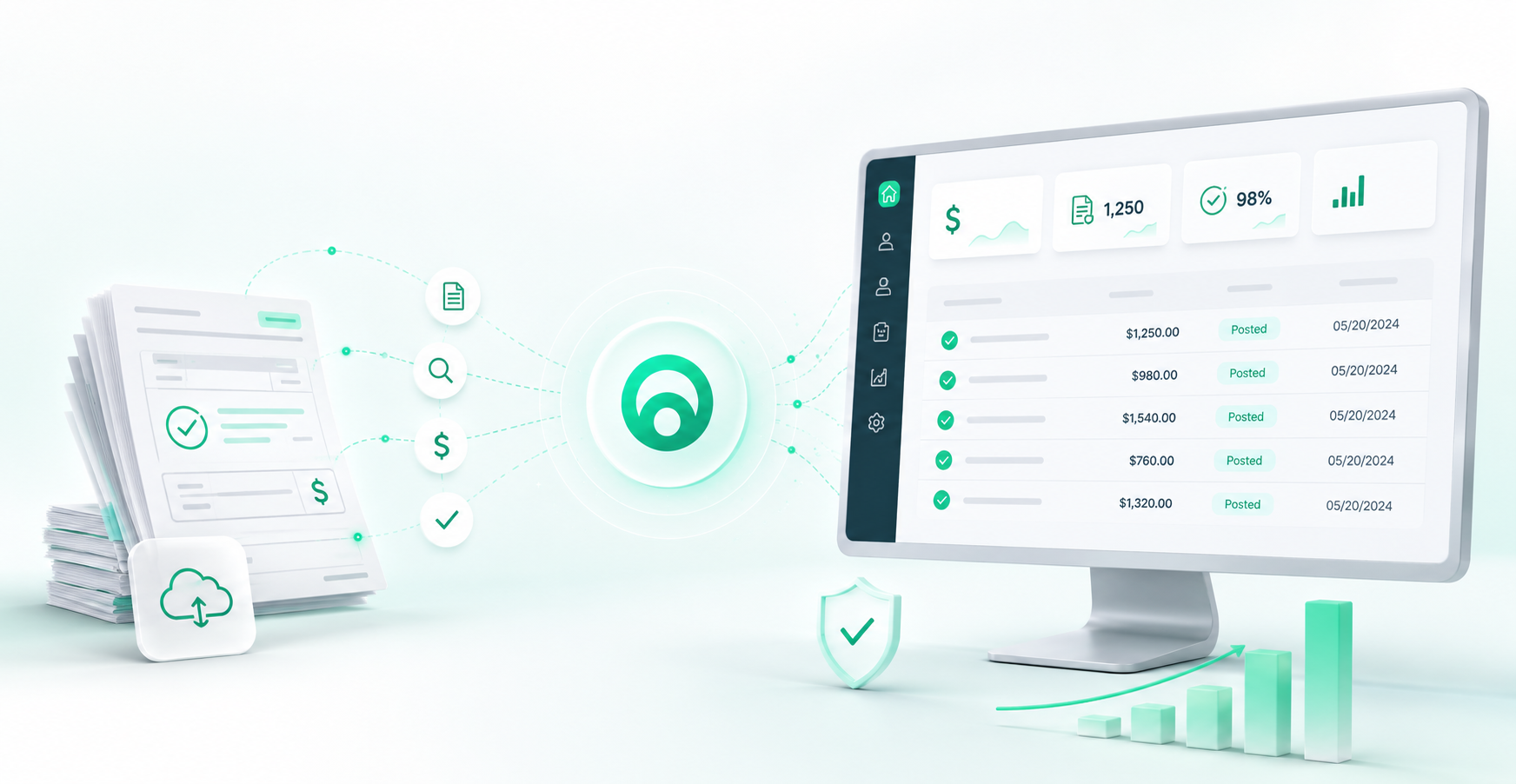
Turn available remittance and payment data into structured posting work: identify the claim, prepare supported ledger transactions, route exceptions, and reconcile the records your workflow can access.
Commercial focus
Insurance and patient payment posting workflows
Published proof
Daily Stripe matching across a six-location DSO
Operating model
Automation for clean work; people for exceptions
How automated dental payment posting works
Dentistry Automation is configured around the steps your team performs today. The goal is not to hide complexity—it is to move routine work through consistently and make exceptions easier to find and resolve.
Bring available ERA or 835 data, EOB details, and payer-portal remittance information into one configured workflow.
Use patient, subscriber, claim, provider, procedure, and payment references to find the intended account and claim.
Map supported payments, patient responsibility, and configured adjustments to the corresponding ledger detail.
Write clean items back where the PMS connection supports it. Route uncertain matches, unusual adjustments, and missing data to staff.
Compare remittance, claim, ledger, payment, and—when connected—deposit or settlement totals, then surface differences.
Supported payment sources
Payment source coverage depends on data availability, payer access, processor connectivity, document quality, and the target PMS. We verify each source during discovery instead of assuming every input behaves the same way.
Structured remittance can be mapped to claims, service lines, adjustments, and patient responsibility when the feed is available.
Available portal remittance details can support payment retrieval and exception context. Payer access is validated during discovery.
A published Dentistry Automation case study documents daily Stripe payment retrieval and patient-plan matching across six locations.
Availability depends on document intake, image quality, check data, and the agreed quality-assurance process.
Matching requires access to settlement references and remittance data. Banking or settlement connectivity is scoped separately.
Processor access, fees, remittance availability, and PMS posting behavior are reviewed before a workflow is approved.
Posting detail and controls
A reliable dental EOB and ERA automation workflow distinguishes data that can be posted under configured rules from items that need trained human judgment.
| Posting detail | Configured automation can | Staff review remains important for |
|---|---|---|
| Line-item matching | Match payment and adjustment detail to procedures when the remittance contains usable service-line data. | Unclear claim, procedure, or patient matches. |
| Contractual adjustments | Map supported adjustment groups and reason codes to configured PMS adjustment codes. | Missing, ambiguous, or out-of-policy adjustments. |
| Write-offs | Apply approved write-off rules within the agreed payer and plan configuration. | Unusual amounts or write-offs outside configured thresholds. |
| Provider allocation | Use claim and provider identifiers to preserve available provider attribution. | Missing provider identifiers or allocation conflicts. |
| Secondary insurance and COB | Surface available coordination indicators and remaining responsibility for the next workflow step. | Complex COB decisions, secondary filing, and missing documentation. |
| Denials and exceptions | Capture available denial details and route the payment with supporting context. | Clinical appeals, payer calls, documentation, and policy decisions. |
Payment reconciliation
Reconciliation depth depends on the data connected to the workflow. At minimum, the process should make missing remittance information, mismatched totals, duplicates, and unresolved posting differences visible.
Confirm the payment reference and available remittance total.
Link the payment to the intended claim and service detail.
Validate the posted payment, adjustment, and remaining balance.
Compare available EFT, processor, check, or deposit information.
Show mismatches, missing remittance, duplicates, and unresolved balances.
PMS integrations
Dentistry Automation evaluates payment-posting workflows for Denticon, Open Dental, Dentrix, Eaglesoft, and additional dental systems. The supported depth varies by version, hosting model, APIs, access method, permissions, and posting scope.
Workflow scope is validated against the deployed Denticon environment and available integration method.
Read, matching, posting, and adjustment behavior are confirmed against the available API and local configuration.
Version, hosting model, permissions, and posting workflow are reviewed before write-back is represented as supported.
Connectivity and ledger behavior are validated in technical discovery before automated posting is enabled.
DentalBridge and other approved integration methods are evaluated without assuming universal write-back.
Enterprise payment operations
Multi-location practices and DSOs need consistent workflow rules, local accountability, transparent exceptions, and evidence of what happened—not just an aggregate dashboard.
Coordinate repeatable posting operations across practices while preserving location and entity context.
Configure payer, adjustment, source, and review rules around each location’s operating model.
Prioritize uncertain matches, missing remittance, unusual adjustments, denials, and reconciliation differences.
Retain workflow status, source references, posting outcomes, and review activity where configured.
Separate straight-through candidates from items that require approval or specialist handling.
Keep qualified staff responsible for exceptions, quality assurance, policy decisions, and payer follow-up.
Where Dentistry Automation fits
The right payment-posting architecture depends on your PMS, clearinghouse, payer mix, staff model, and controls. Dentistry Automation does not require you to discard useful native or human workflows.
| Existing approach | Where it works well | How DA can complement it |
|---|---|---|
| Native PMS auto-post | Efficient for structured ERAs that fit one PMS’s native workflow. | DA can add retrieval, normalization, exception handling, and multi-location controls when the native workflow does not cover the full process. |
| Clearinghouse ERA workflow | Moves standardized remittance data between payer and practice. | Receipt of an ERA does not always complete claim matching, PMS posting, adjustment mapping, or deposit reconciliation. DA is configured around those operational steps. |
| Outsourced posting team | Provides human capacity for complex and variable work. | Automation can process repeatable items and organize exceptions so the team focuses on judgment, follow-up, and quality assurance rather than every keystroke. |
| Posting-only point solution | Can solve a narrow remittance or PMS workflow well. | DA can connect payment posting with insurance verification, claims tracking, A/R operations, and DentalBridge integration when broader orchestration is required. |
Production product view
This production screenshot shows Dentistry Automation's Payments workspace, including EFT deposit totals, matched EOBs, records needing attention, line-item payment detail, document access, and posting actions. Identifying details have been redacted.
Open the interactive demo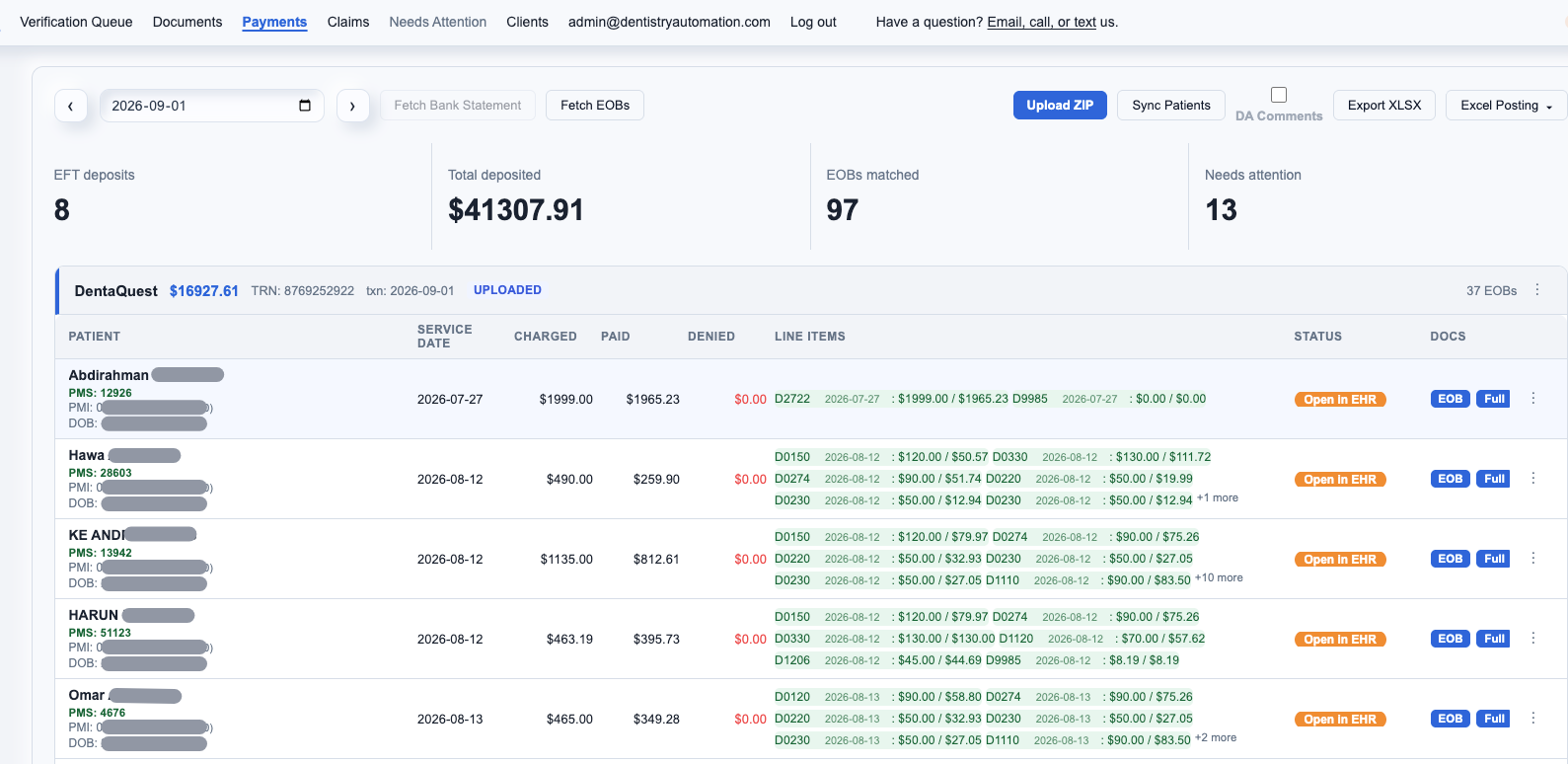
Published case study
A multi-location DSO was manually checking Stripe payments and updating its practice management software. Dentistry Automation implemented a workflow that pulled daily Stripe payment data and matched each payment to the appropriate patient plan.
Read the Payment Posting Case StudyBaselines and targets should be calculated from your actual transaction volumes, payer mix, PMS configuration, exception rules, and current staff workflow. The page does not publish an unsupported universal automation or accuracy rate.
Adjust three inputs. The model values time that could shift from repetitive entry and reconciliation to automated processing and exception review. It does not include software fees or guarantee financial savings.
Illustrative result
Current manual hours / week
26.7
Hours returned / week
17.3
Annual capacity value
$24,267
The default estimate represents 40 payments per day, 8 minutes per payment, and $28/hour loaded staff cost. Results remain visible in server-rendered HTML even before the calculator becomes interactive.
Implementation process
Implementation is sequenced around real payment sources, PMS behavior, controls, and exceptions. Timing is scoped after technical discovery rather than promised before the environment is known.
Document current payment sources, payers, posting rules, PMS configuration, controls, and exceptions.
Confirm data access, claim identifiers, adjustment codes, provider rules, locations, and reconciliation inputs.
Run controlled comparisons against the current process and review clean items, exceptions, and totals.
Enable the approved workflow by payer, source, location, or business unit with defined human checkpoints.
Monitor posting outcomes, exception patterns, turnaround, and reconciliation differences, then refine rules.
Frequently asked questions
Dental payment posting software helps move remittance and payment details into the correct patient and claim records. A configured workflow can retrieve ERA or EOB details, match the related claim, apply supported payments and adjustments, and send uncertain items to staff for review.
Not necessarily. Native PMS auto-posting can work well for structured ERAs inside one PMS. Dentistry Automation is designed to complement that workflow when a group needs additional remittance retrieval, cross-source normalization, exception handling, multi-location controls, or integration support. The final design depends on your PMS and current clearinghouse setup.
Configured workflows can use ERA or 835 data, EOB information, and payer-portal remittance details. A published Dentistry Automation case study also documents daily Stripe patient-payment matching. Paper EOB, check, EFT or ACH, virtual-card, and other patient-payment workflows require confirmation during technical discovery because availability depends on data access and system configuration.
Supported adjustments can be mapped to configured PMS codes when the remittance and contract logic are sufficiently clear. Ambiguous adjustments, missing codes, unusual write-offs, or out-of-policy amounts should be routed to an exception queue for staff approval rather than posted automatically.
The workflow can identify denial and coordination-of-benefits indicators in available remittance data and route the item with context. Complex denials, secondary claim decisions, missing documentation, and payer-specific coordination questions still require qualified staff review.
The workflow can reconcile remittance, claim, ledger, and payment totals when the necessary data is available. Deposit and bank reconciliation requires access to settlement or banking data and must be confirmed during implementation. Missing remittance details and amount mismatches are surfaced as exceptions.
Dentistry Automation evaluates workflows for Denticon, Open Dental, Dentrix, Eaglesoft, and additional dental systems. Read access, write-back, adjustment posting, and reconciliation depth vary by PMS version, hosting model, available APIs, security permissions, and the agreed implementation scope.
Yes. Clean, rules-based items can move through the configured automation, while uncertain matches, missing remittance information, unusual adjustments, denials, coordination-of-benefits issues, and reconciliation differences remain visible for human review and quality assurance.
Implementation starts with workflow discovery, payer and source mapping, PMS access validation, posting-rule configuration, and exception-design review. Teams then validate results in a controlled rollout before expanding the automated scope. Timing depends on systems, data access, locations, and workflow complexity.
The estimator values staff capacity that could shift away from manual posting and reconciliation. It assumes five workdays per week, fifty workweeks per year, and a 65% reduction in the current manual effort. It excludes software fees, implementation costs, collections changes, and exception complexity, so it is illustrative rather than a guarantee.
Continue your evaluation
Bring your PMS, payment sources, payer mix, adjustment rules, and exception process. We will show you what can be configured, what requires review, and how to validate the result.